
Improving the way users can configure their workspace can make them more efficient. Some other PIMs have a lot of flexibility in configuring how you interact with the application. Can move blocks of content around and save as your default workspace.
Pimberly can make theirs even better! The Products workspace is OK, but I would think most customers are using Pimberly on a 16x9 widescreen monitor. Take advantage of the horizontal space and consider columns instead of rows. Even though you can resize the top row, you still have a smaller row area at the bottom.
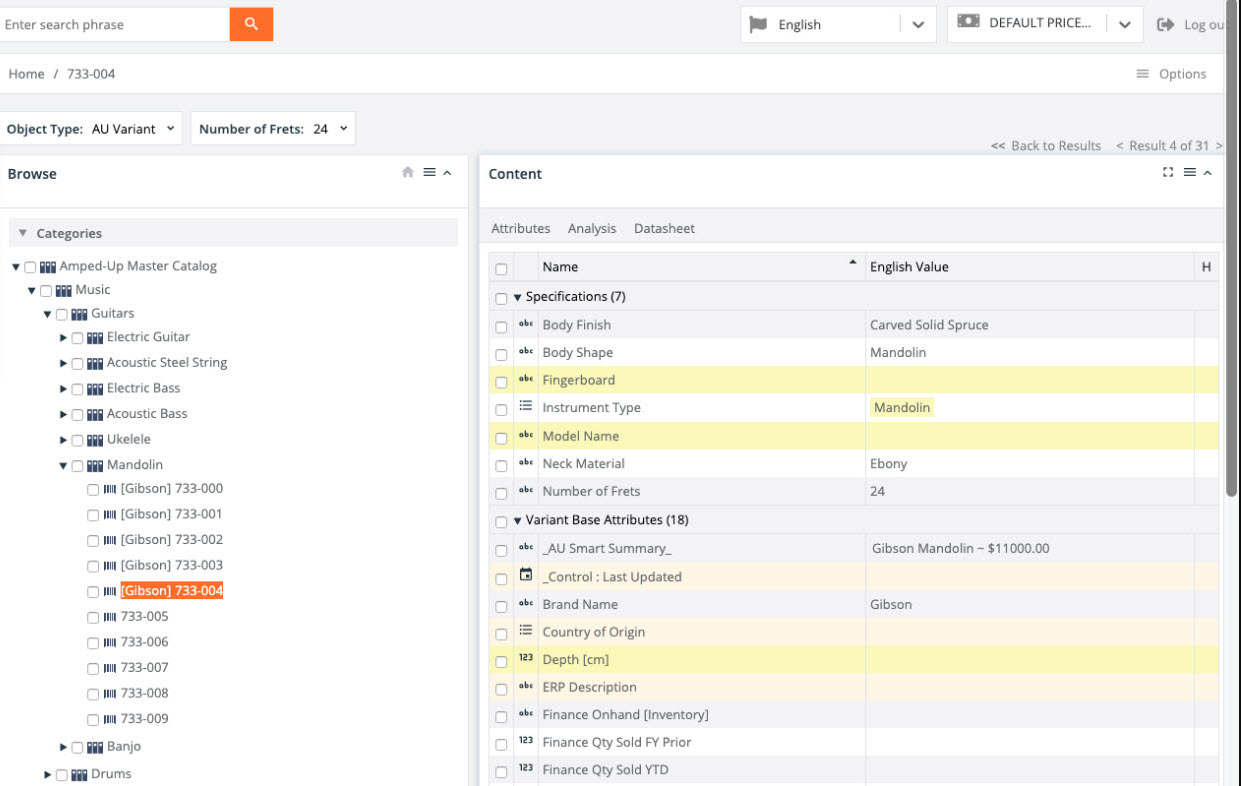
Here is an example of an interface I found online. You can customize to have a two column main view (or more if you wanted). Makes for better viewing of attributes, since they take advantage of a column's height:
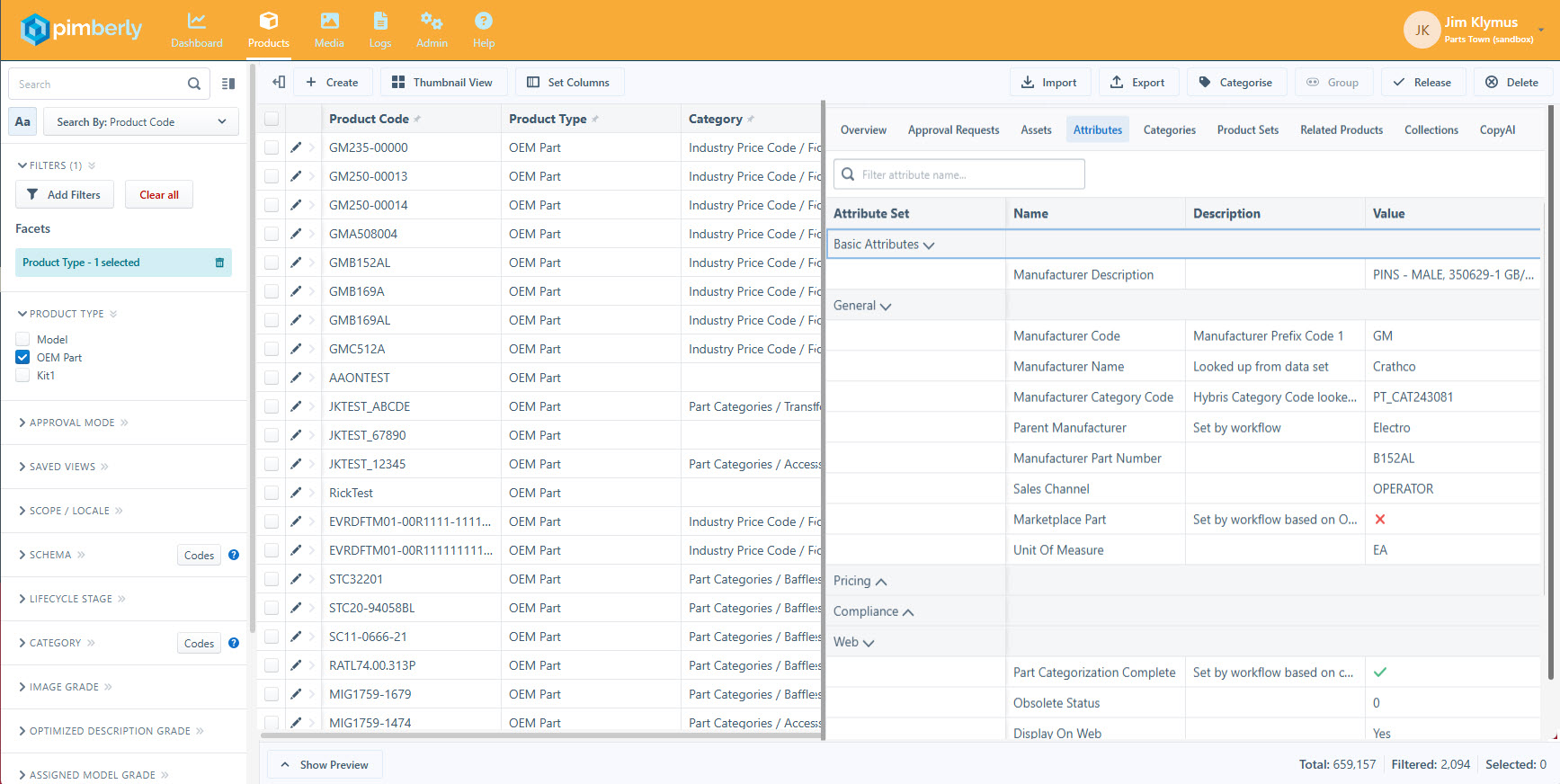
You can offer the same interface in Pimberly, too. It will also allow for keeping attribute sets open so that you may not have to scroll as much as you do now in some cases:
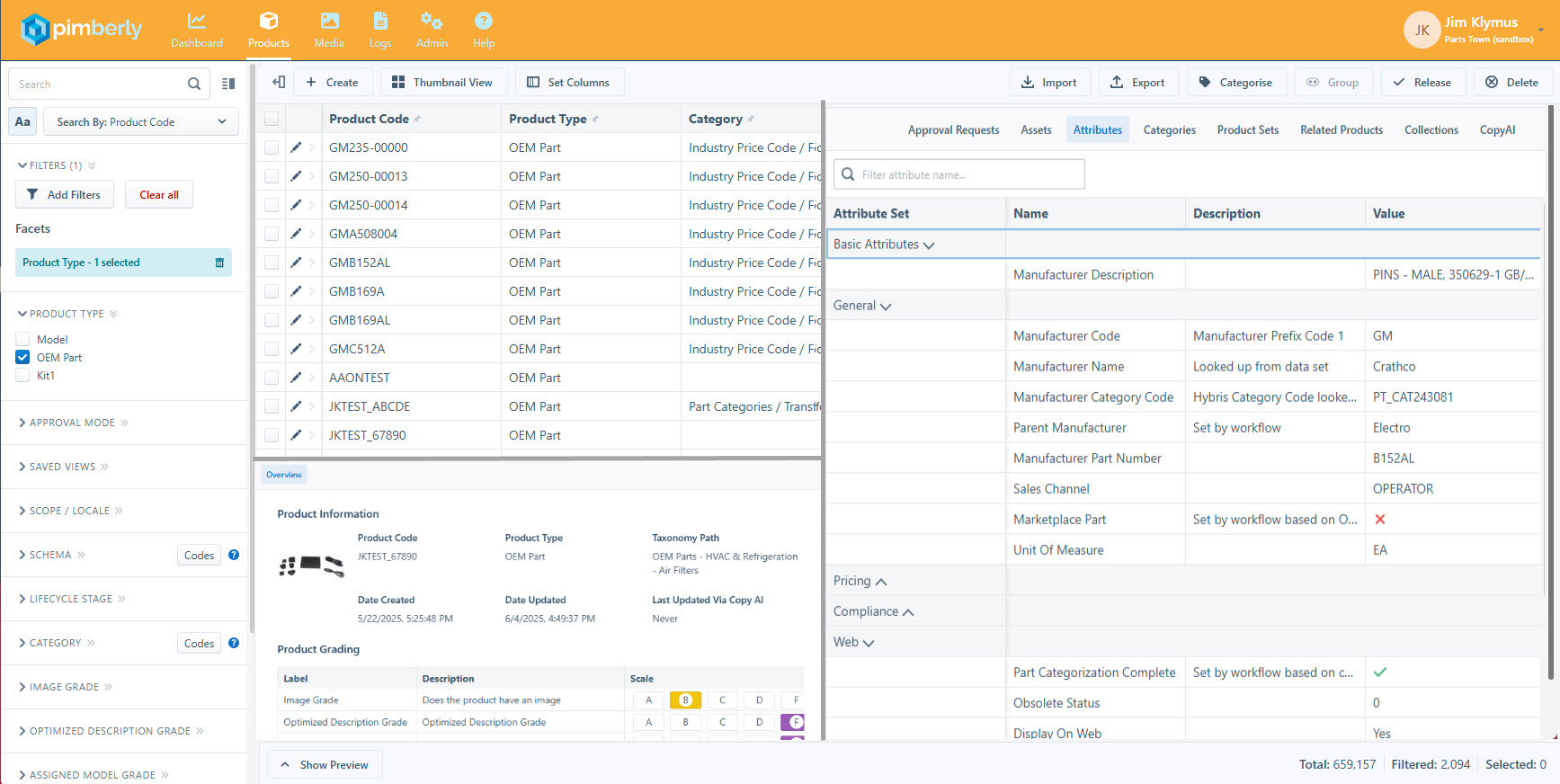
Getting creative with configurable spaces can get you to a three-panel layout that keeps the product overview visible for even more onscreen information:
Comments
Please sign in to leave a comment.
Hi Jim
Thanks for the great suggestion!
Making better use of widescreen layouts and giving users more control over workspace configuration is really valuable feedback.
We’ll share this with the product team as they continue improving the workspace experience.
Thanks,
Jess