
We've recently made our main image attribute Scopable so that we can export different main images for different channels.
With most attributes, you can edit the scoped values using the small globe icon:
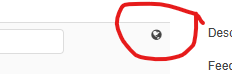
The scoped image attributes don't seem to have these, i can only view and edit the scoped values via import. Can this be added to the UI?
1
Comments
Please sign in to leave a comment.
Is this what you are looking to do? For us, we can declare the scope and localize in the Attribute --> Options setting and then set/view values in the Products viewer. You have to do this for all attributes under an Attribute Set. Can't just declare scope and localize at the top level set and have that propagate down to all attributes in it.
For added context here, we have already successfully set our Master Image attributed to be scoped. The issue is that in the UI there doesn't appear to be any way to changed the scoped values (ie no little globe icon):
I can update this using an import to assign images via URL to the scope, but I can't find a way of doing it using the UI, and the only way of checking it is going into a menu in the Media Attributes tab, which is a bit clunky:
Now I see. I was always under the impression that the master image reference was used to simply identify the product visually when viewing details. And since it is really something that is managed by the DAM (Media), that all configuration would be done there.
Will be good to see the Pimberly feedback on this.